
The workspace
Your workspace is a folder of plain markdown notes that Flightdeck reads and writes. Your work buckets, jobs and monitors are notes in it, so you can read, edit, diff and version them like any other file.
- Where it is:
workspace.rootin~/.config/flightdeck/config.toml. When that is unset, the workspace is~/.flightdeck. - How to create it:
flightdeck workspace init(preview first with--dry-run). It never removes or overwrites anything. - It is a git repository. Flightdeck commits its own changes to the workspace's
mainbranch, so every change it makes is in the history.
What's inside
| Folder or file | Holds |
|---|---|
buckets/ | Work bucket notes, one per bucket |
jobs/ | Job notes, one per job |
monitors/ | Monitor notes, one per monitor |
projects/ | Per-project records: context, handoffs and plans |
skills/ | Skills for your agents, one folder each, with a SKILL.md |
plans/ | Plans, in pending/, in-progress/ and archive/ |
learnings/ | Weekly learnings files |
TEAM.md | The rules every agent reads before it works |
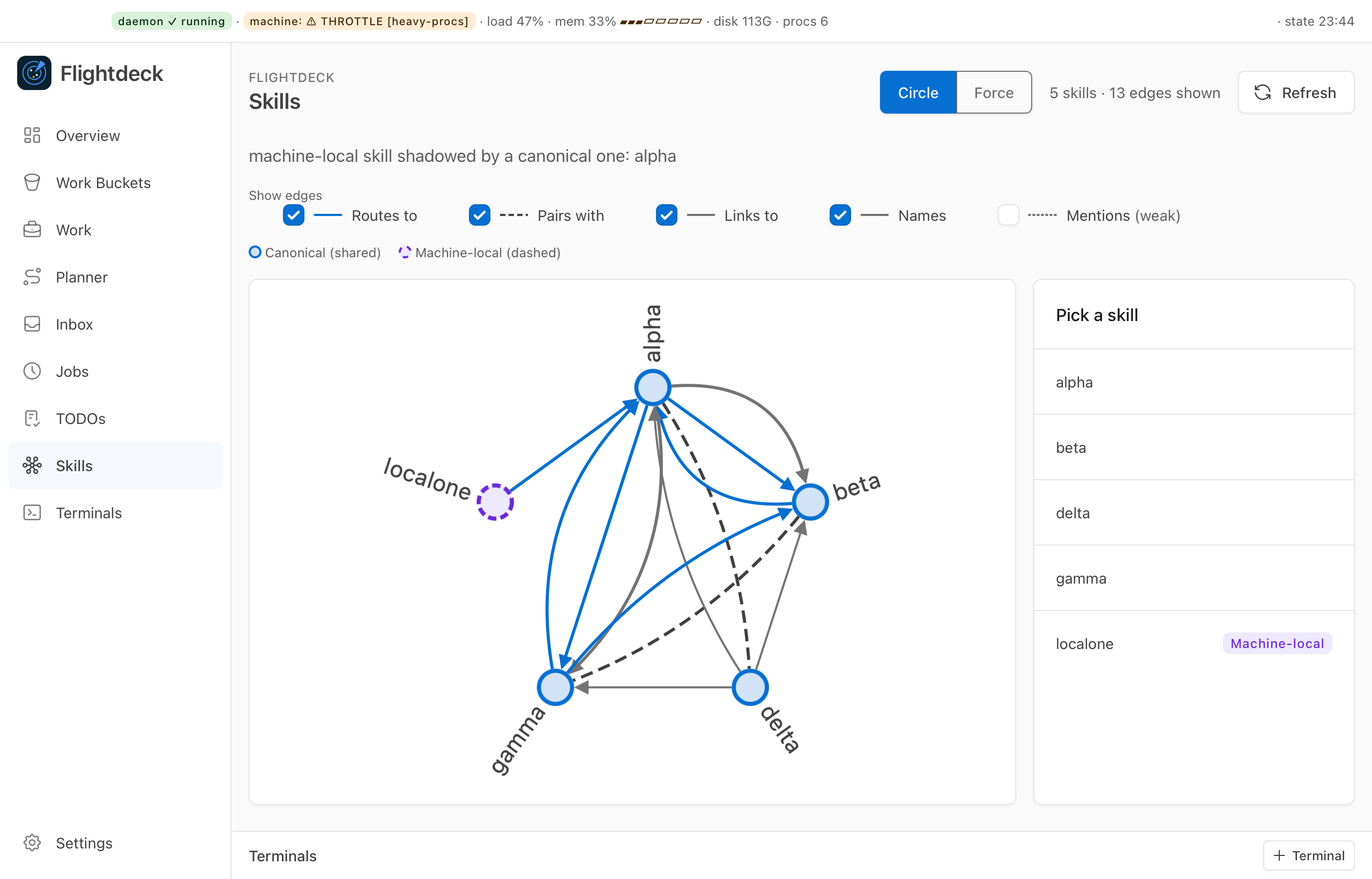
The app's Skills page draws your skills as a graph of which one routes to, pairs with, links to or names another. Skills shared through the workspace are solid circles; skills that live only on this Mac are dashed.
Notes
A note is a markdown file with optional YAML frontmatter at the top. Flightdeck treats your notes carefully:
- A note read and written back unchanged is byte for byte identical.
- Editing one property rewrites only that property. Comments, quoting and the style of every other entry stay as you wrote them, and the body is kept exactly.
- A note Flightdeck cannot read is refused, and never overwritten. Refused notes include frontmatter that never closes, invalid YAML, a duplicate key and more than one YAML document. The error names the line and a fixed reason, never the note's text.
The fd property says which kind of Flightdeck record a note is: fd: bucket, fd: job or fd: monitor. A note without fd is an ordinary note. Flightdeck reads it but never rewrites it as a record.
---
created: 2026-10-01
status: pending
tags: [plan, example]
---
# Example plan

Worked by [[ops-bucket-example]].
Working in Obsidian
You can open the workspace as an Obsidian vault. Frontmatter shows up as Obsidian Properties, and links and tags work as you'd expect.
- Links name a note by its file name, without
.mdor a folder:[[2026-10-01-example-plan]]. In a property, quote the link:plan: "[[2026-10-01-example-plan]]". - Tags go in the
tagsproperty as a list, without#:tags: [ops, example]. - Write
tags,aliasesandcssclassesas lists, so Flightdeck and Obsidian read them the same way.
Your Obsidian settings stay yours
Flightdeck never creates, reads or writes Obsidian's .obsidian/ settings folder.
Keeping machines in step
If your workspace has a git remote, flightdeck workspace pull fast-forwards your checkout to origin/main. A LaunchAgent runs it every five minutes. It moves only a clean checkout that is on main and behind the remote, and leaves anything else alone.