
Work buckets
A work bucket is a named pile of work in one project: a set of Jira issues or Trello cards, plus anything else that belongs with them. Jobs work through buckets, so a bucket is how you tell your agents what to take on.
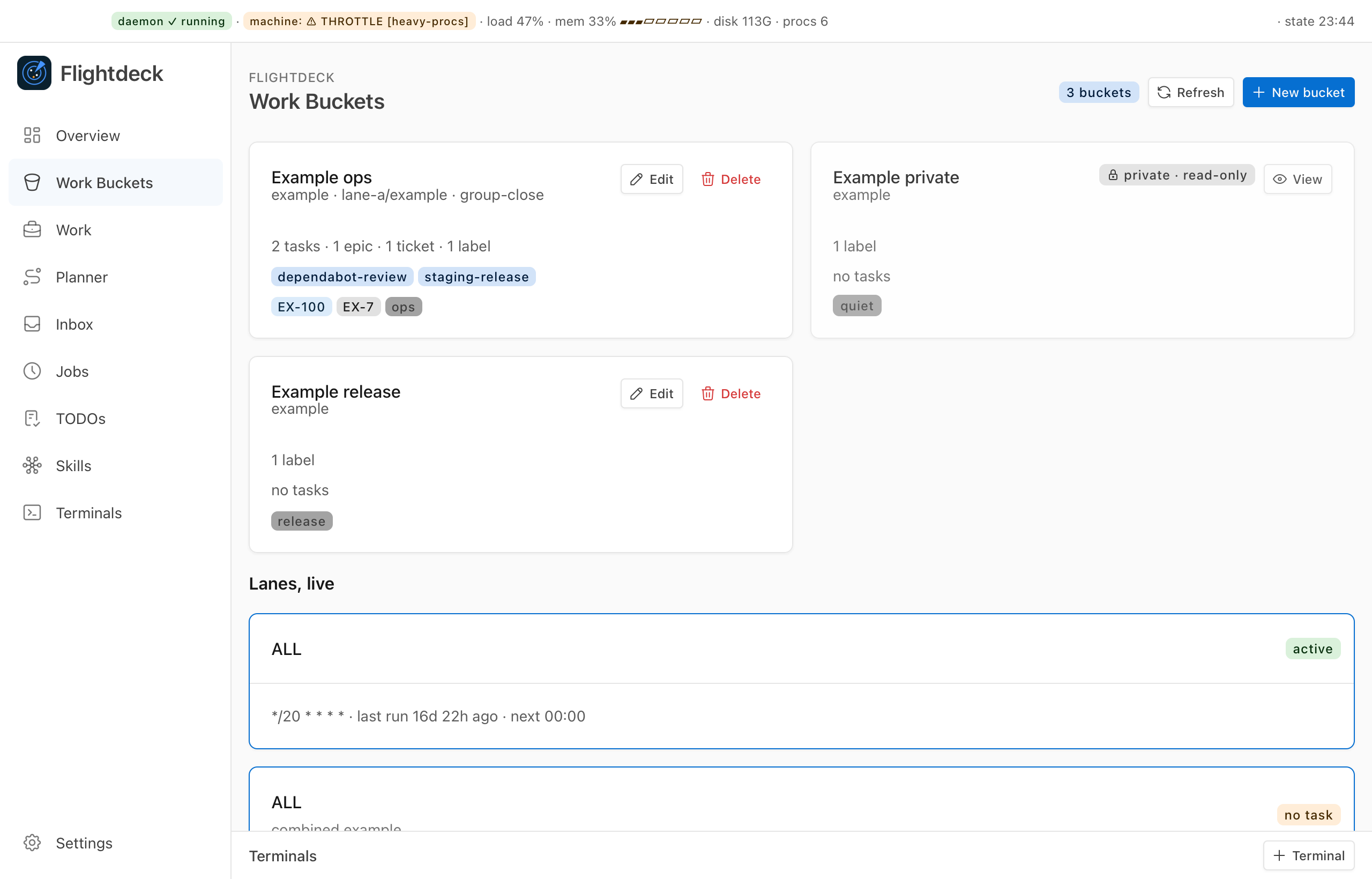
Each bucket is a note in your workspace's buckets/ folder, named ops-bucket-<slug>.md.
What a bucket holds
---
fd: bucket
id: ops-bucket-example     # never changes; also the file name
name: Example              # what you see; edit freely
project: example-app       # exactly one project
scope: items               # items, or project
work: { epics: [APP-100], plans: ["[[2026-10-01-example-plan]]"], labels: [], tickets: [{key: APP-123, direction: "ship the export"}] }
jql: ""
branch: example/export
private: false
---
Notes for this bucket, in markdown.projectis one of the projects in your configuration.worklists what belongs here: Jira epics, plans (as links to plan notes), labels, and single tickets, each with an optional one-line direction for the agent.jqlis an escape hatch: a Jira search clause, kept as you wrote it.branchis a git branch name for the bucket's work.- The body is free notes for the people and agents working the bucket.
A bucket must hold something: a non-empty work or jql, one of Flightdeck's built-in tasks, or scope: project.
Items or a whole project
scope: items(the default) holds exactly whatworkandjqllist.scope: projectholds every open item in the project that no other bucket of that project lists. Explicit wins: an item another bucket names belongs to that bucket. New items in the project land here on their own. A project can have only one whole-project bucket.
On a Trello project, a whole-project bucket holds the cards on the board's active lists.
How jobs use buckets
A job's timeline lists buckets in order. When a job runs, flightdeck job next <id> reads each bucket live and prints the next items to work, and flightdeck job done <id> <bucket> <item> counts one as finished. See Jobs.
The background sync also counts each bucket's open items every five minutes, so you can see how much is left.
A failed search is never "empty"
If Jira or Trello can't be read, job next stops with an error instead of reporting an empty bucket. An outage never looks like finished work.
How Flightdeck edits buckets
Flightdeck can create and edit bucket notes for you and move an item from one bucket to another. It is careful about it:
- An edit rewrites only the properties that changed. Comments and keys it doesn't know, such as
tags, keep their bytes. - Every write is checked by reading it back before it replaces the file, and is refused if the note changed on disk in the meantime.
- Creating a bucket never replaces an existing note.
- Moving an item writes the target bucket first, then the source, and puts the target back if the source can't be written.
Private buckets
A bucket with private: true is never written or deleted by Flightdeck, and the background sync never searches or names it.